Projects / AI-Native RAW Photo Editor
AI-Native RAW Photo Editor
The photographer decides. The AI turns the knobs.
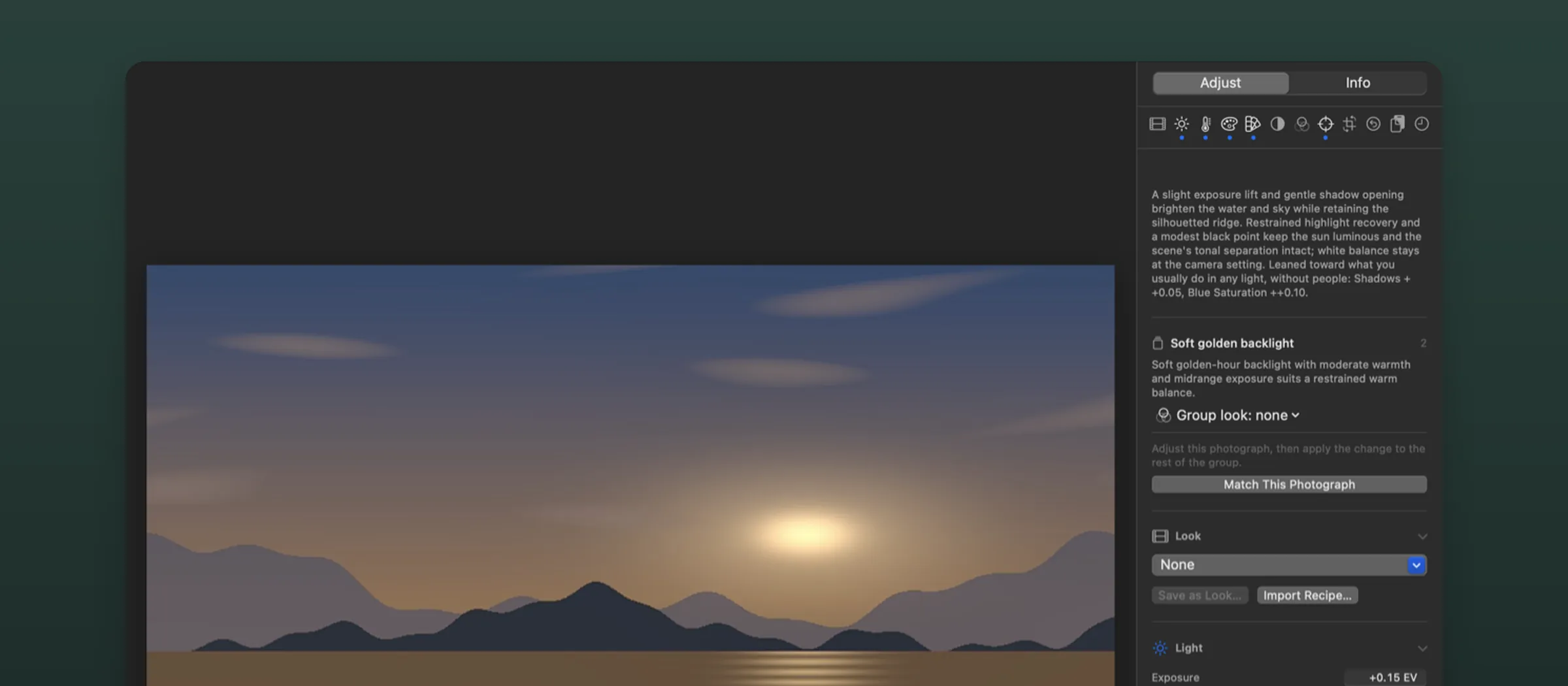
A RAW photo editor for the Mac that develops every photograph in a folder you choose. You decide the edit, AI takes care of the sliders.
Why I’m building it
I take a lot of photos, but I don’t have much time to edit them. My editing backlog is usually several months long, so every minute I can save helps me catch up. Presets are great, but I shoot in so many different conditions that none of them works straight out of the box. There’s always something I need to tweak.When editing, I usually have a clear idea of what I want to achieve. But I found myself spending too much time adjusting the same few knobs in an interface with hundreds of them. So I decided to build an app with just the knobs I actually used. Then I thought: what if AI could help turn those knobs for me? And that’s how I ended up adding an AI editor that sits alongside me.
What it does
- Open a folder, and the AI editor proposes an edit of every RAW file in it.
- Correct with focused tone, colour and detail controls, or by describing the problem in plain words, such as “her face is slightly too dark”.
- Divides a shoot into named groups, so a correction made on one frame can be applied to the rest of its group.
- Adds film and mood looks on top of each photograph’s own edit, and can copy your adjustments from one photograph to others.
- Cull quickly with picks, rejects, stars, suggested rejects and a side-by-side compare.
Approach
One rule shapes the whole app: the app owns the intent, the RAW engine owns the pixels. The AI and the sliders edit the same small description of how a photograph should look, so there’s no separate “AI edit” to fight with. RawTherapee does the development out of sight.