Projects / Capture-First Journal
Capture-First Journal
Notice something, write it down, and keep it.
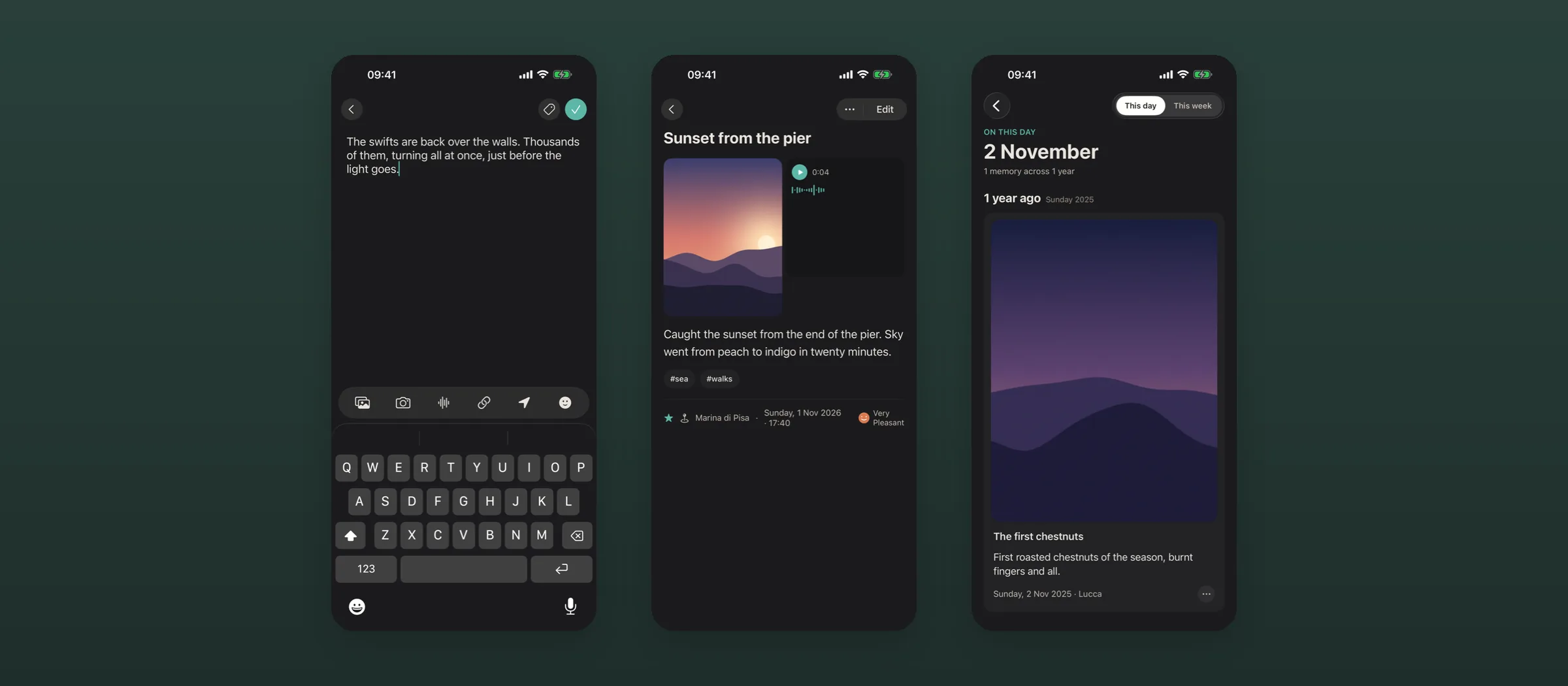
An iPhone app for ideas and small moments, as quick as a journal, where every entry is a plain Markdown file in a folder you own.
Why I started
Apple’s iOS Journaling app is great. The problem? Your entries are locked inside Apple’s ecosystem. You can’t read them in another app, and there’s no way to move or export them in bulk. I wanted that same feeling of capturing a thought in seconds, but with entries that remain mine—accessible and readable wherever I choose to keep my notes.
What it does
- Opens straight into a blank entry, not a list or a dashboard.
- Combines text, photos, video, voice memos and links in a single entry. Location attaches itself and mood takes one tap.
- Saves each entry as Markdown with a small header, in an iCloud folder that works with Obsidian and the Files app.
- Does the clever parts on the phone: transcription in many languages, a generated title, a few suggested tags and search by meaning.
- On this day brings back what you wrote in earlier years, in the app, a widget or a morning notification.
Approach
A native SwiftUI app that treats the file system as the database. The app is a window onto a folder of plain files and never owns them.
What I’ve learned so far
Running AI models locally on an iPhone is not only possible, but easier than you might expect.